Log 06 · From the 2015 archive
Setting StatusBar Font Color in iOS8
- Filed
- Reading
- 1 min

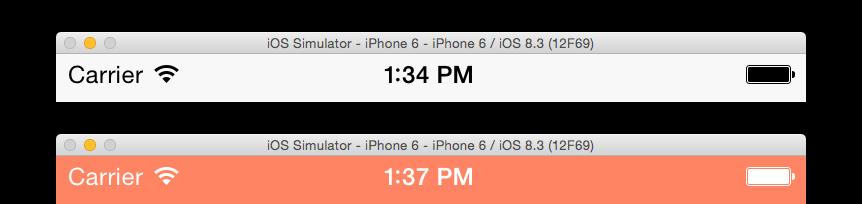
This one is a quick thing that I keep forgetting how to do. While developing iOS apps, sometimes we need to change the color of the font in the status bar (which is dark by default). We have the option to change the status bar to a white color (or “light” style).
First we need to define the following to the app’s info.plist: View controller-based status bar appearance. It takes a BOOL (YES or NO). Let’s look at what each means:
YES: This will allow us to to set thepreferredStatusBarStylein our view controllers, like so:
override func preferredStatusBarStyle() -> UIStatusBarStyle {
    return UIStatusBarStyle.LightContent
}No: We can still set it with the following (it has worked for me either in theappDelegateand/or inside eachViewController:
UIApplication.sharedApplication().setStatusBarStyle(UIStatusBarStyle.LightContent, animated: true)Hope this helps someone :)